Guide · 9 min read
How to dry filament: 5 methods compared, with temperatures and times
Settings rechecked October 10, 2026 · Methodology and sources
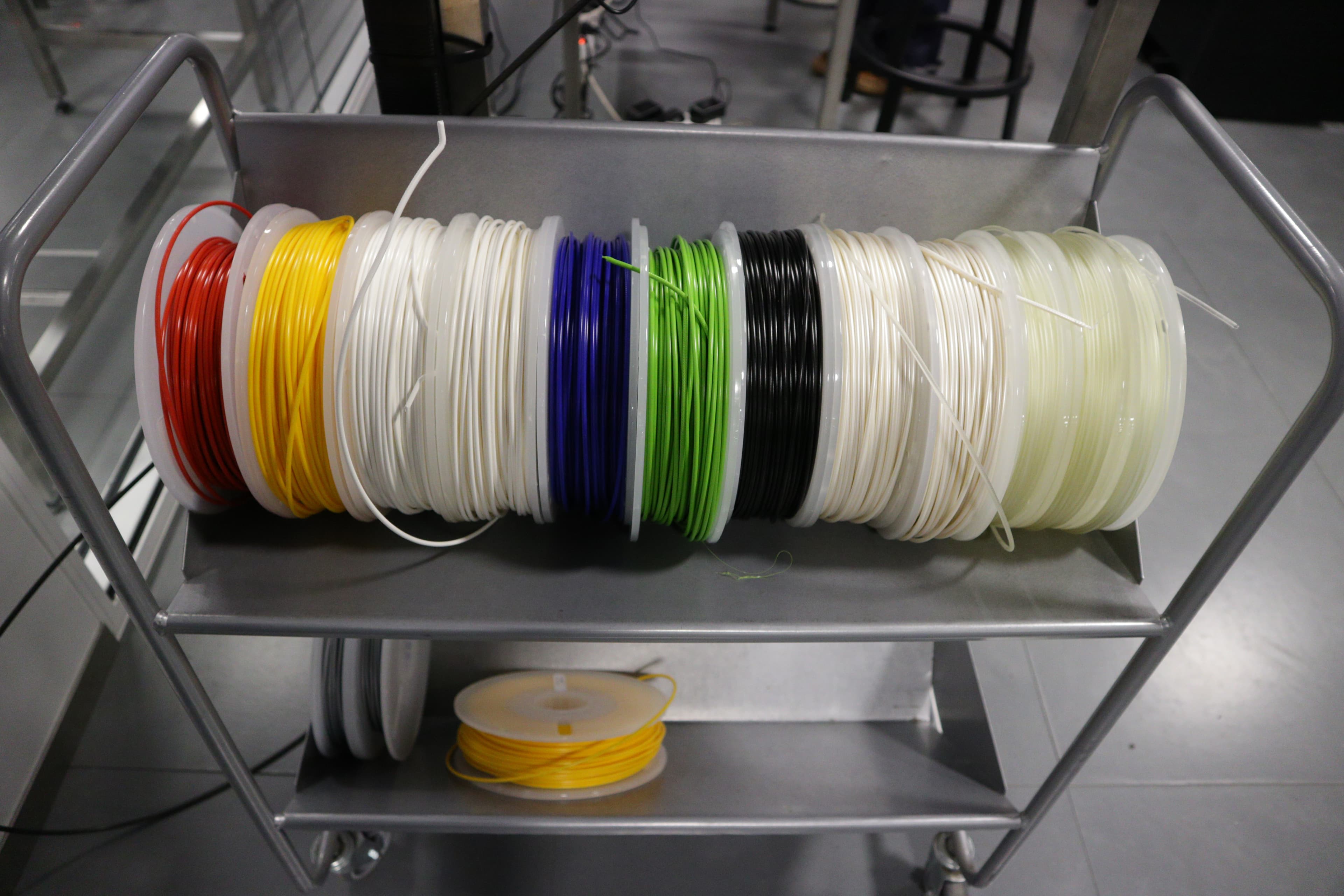
Wet filament causes problems that look like printer or slicer issues: stringing that wasn't there last week, fuzzy walls, weak layer adhesion, popping sounds at the nozzle. The spool has absorbed moisture from the air, and the water boils off as the filament melts.
The fix: heat the filament to the temperature its maker recommends, hold it for the stated time, then store it sealed with desiccant. The right setting depends on the exact filament, the equipment and the spool it is wound on, so this guide gives each maker's own number instead of one setting per material.
Drying settings from the filament makers
Use the row for your filament. If your brand is not listed, use its own data sheet. Makers disagree: Prusa dries its PETG at 55 °C while Bambu Lab uses 65 °C for PETG Basic, and Bambu's own PLA setting drops from 50 °C for 8 hours in a drying oven to 45 °C for 12 hours in an AMS. Neither number is wrong for its product and equipment, so do not average them. Prusa warns that going above its temperatures makes filament soften and stick together.
| Material | Product | Equipment | Setting |
|---|---|---|---|
| PLA | Prusament PLA | Dryer or oven | 45 °C, 6 h |
| Bambu PLA Basic | Forced-air drying oven | 50 °C, 8 h | |
| Bambu PLA Basic | AMS 2 Pro / AMS HT | 45 °C, 12 h | |
| Polymaker PolyLite PLA | Not specified | 55 °C, 6 h | |
| PETG | Prusament PETG | Dryer or oven | 55 °C, 6 h |
| Bambu PETG Basic | Forced-air drying oven | 65 °C, 8 h | |
| Polymaker PETG | Not specified | 60 °C, 6 h | |
| ABS | Bambu ABS | Forced-air drying oven | 80 °C, 8 h |
| Polymaker PolyLite ABS | Not specified | 70 °C, 6 h | |
| ASA | Prusament ASA | Dryer or oven | 80 °C, 4 h |
| Bambu ASA | Forced-air drying oven | 80 °C, 8 h | |
| Polymaker ASA | Not specified | 70 °C, 7 h | |
| TPU | Prusament TPU | Dryer or oven | 60 °C, 4-6 h |
| Bambu TPU 95A HF | Forced-air drying oven | 70 °C, 8 h | |
| Polymaker PolyFlex TPU95 | Not specified | 70 °C, 8 h | |
| PC | Prusament PC Blend | Dryer or oven | 85 °C, 5 h |
| Bambu PC | Not specified | 80 °C, 8 h | |
| Polymaker PolyLite PC | Not specified | 75 °C, 6 h | |
| Nylon | Prusament PA11 Carbon Fiber | Dryer or oven | 90 °C, 6 h |
| Bambu PAHT-CF | Forced-air drying oven | 80 °C, 8-12 h | |
| Polymaker PolyMide CoPA | Not specified | 100 °C, 8 h |
Each product name links to the maker's page or data sheet, checked October 10, 2026. “Forced-air drying oven” is Bambu's term for a lab-style convection drying oven, not a kitchen oven.
Check the spool and the dryer before you heat
The filament setting is only half the limit. The spool has its own, and so does the equipment:
- Bambu Lab spools. Bambu's data sheets list PLA and PETG on an ABS spool rated to 70 °C, and ABS, ASA, PC, TPU and nylon on a PC + ABS spool rated to 90 °C (see the PLA Basic data sheet). Bambu also warns that some third-party spools may deform during drying and says not to dry filament on a 3D-printed spool.
- Prusament spools. Prusa says its current black spool withstands up to 90 °C. The older black spool with a cardboard center is safe only to 45 °C unless you add a screw holding the sides together, and the older grey spool's glue withstands up to 90 °C. Prusa's drying article shows how to tell them apart.
- Other brands. Polymaker's pages give drying settings but no spool limit. For a cardboard or unknown spool, check with the maker before going above the filament's listed temperature.
Dryer maximums, from each maker:
- SUNLU FilaDryer S2: up to 70 °C
- SUNLU FilaDryer S4: up to 70 °C
- Creality Space Pi Plus: up to 70 °C
- Bambu AMS 2 Pro: up to 65 °C
- Bambu AMS HT: up to 85 °C
A 70 °C dryer cannot reach the nylon and PC settings in the table, which run from 75 to 100 °C. If you print those materials often, check the maximum before you buy.
Method 1: Kitchen oven (risky; Bambu says don't)
Bambu Lab says plainly not to use a kitchen oven: heat is uneven, and the area near the heating element runs hotter than the setting. Prusa allows a home oven with care, but warns that many cannot be set low enough to dry filament without damaging it. If you try it anyway, check the actual temperature with a separate oven thermometer, keep the spool away from the element, stay within the maker's setting, and do not leave it unattended. PLA, with the lowest settings, is the riskiest.
Method 2: Food dehydrator
A food dehydrator with a thermostat can hold a low, steady temperature, which suits PLA, PETG and TPU settings. Check your model's maximum temperature against the table and confirm the real temperature with a thermometer. Some need a modified tray to fit a spool.
Running cost is mostly electricity, and it is small. A 250 W dehydrator running for 6 hours at full power uses 1.5 kWh, about 25 cents at $0.17/kWh; the heater cycles, so real use is usually lower. Enter your own numbers in the electricity cost calculator.
Method 3: Dedicated filament dryer
Purpose-built dryers hold temperature, circulate air and keep the spool enclosed. Some let you feed filament to the printer while it dries. Polymaker notes that airflow matters more than simply raising the temperature. The main limit is the maximum temperature listed above: several popular hobby dryers, including SUNLU's S2 and S4 and Creality's Space Pi Plus, stop at 70 °C.
Worth buying if you print PETG, TPU or nylon often or live somewhere humid. If you print PLA almost exclusively and keep spools sealed, you may rarely need one.
Method 4: Sealed bag or box with desiccant (prevention, not drying)
Storage doesn't dry already-wet filament; it keeps dry filament dry. Every Bambu data sheet we checked lists under 20% relative humidity, sealed with desiccant, for printing and storage. A cheap hygrometer in the box shows whether you are there.
Color-changing silica gel shows when it is saturated. Regenerate it the way its maker specifies; temperatures and times differ between products.
Best workflow: dry a spool when it shows symptoms or before a moisture-sensitive print, then store it sealed with fresh desiccant whenever it is not on the printer.
Method 5: Microwave (don't)
Bambu Lab says not to use one: microwave heating is uneven and its temperature cannot be controlled. Use any other method.
When wet filament becomes a real cost
Wet filament can raise your failure rate, and failed prints waste material. The Failure Rate Calculator can help you spot the trend. If failures spike after a humid week, drying is a good first check.
Frequently asked
- How do I know if my filament is wet?
- Popping or hissing at the nozzle, more stringing than usual, rough or fuzzy surfaces, and weaker layers. Moisture comes back quickly: Bambu Lab says freshly dried filament left in a typical room at around 55% relative humidity can absorb enough moisture to affect print quality within 2 to 12 hours, depending on the material.
- Does PLA actually need drying?
- Not always. Polymaker lists its Panchroma PLA drying setting as for use only if the filament has absorbed moisture. Dry PLA when you see the symptoms above. When you do, it needs the lowest temperatures in the table, 45 to 55 °C depending on the maker and the equipment.
- Can I leave filament in a dryer overnight?
- Stay within the filament maker's time. Prusa says to stick to its recommended times to prevent overdrying, Bambu Lab warns that PC can become brittle after repeated heating and cooling cycles, and Creality says not to go above the filament maker's recommended temperature just to shorten drying time. The longest maker times in our table are 12 hours, in a temperature-controlled dryer. Do not leave a kitchen oven running unattended.
- How long does dry filament stay dry?
- Shorter than most people expect. Bambu Lab says that even in a 20% relative humidity environment, filaments generally stay dry for 2 to 7 days depending on the material, and every Bambu data sheet we checked gives under 20% RH, sealed with desiccant, for printing and storage. Keep spools you are not using sealed with fresh desiccant.
- What about the microwave method?
- Don't. Bambu Lab says not to use a microwave or a kitchen oven to dry filament, because microwave heating is uneven and its temperature cannot be controlled.
Sources and references
- Bambu Lab Wiki: filament drying (methods, kitchen-oven and microwave warnings, storage times)
- Prusa Knowledge Base: drying filament
- Polymaker Wiki: PolyLite PLA
- Bambu Lab PETG Basic technical data sheet
- Polymaker Wiki: Polymaker PETG
- Bambu Lab ABS technical data sheet
- Polymaker Wiki: PolyLite ABS
- Bambu Lab ASA technical data sheet
- Polymaker Wiki: Polymaker ASA
- Bambu Lab TPU 95A HF technical data sheet
- Polymaker Wiki: PolyFlex TPU95
- Bambu Lab PC technical data sheet
- Polymaker Wiki: PolyLite PC
- Bambu Lab PAHT-CF technical data sheet
- Polymaker Wiki: PolyMide CoPA
- SUNLU FilaDryer S2 product page and manual
- SUNLU FilaDryer S4 product page and manual
- Creality Space Pi Plus manual
- Bambu Lab Wiki: AMS 2 Pro drying function
- Bambu Lab Wiki: Bambu reusable spool (no 3D-printed spools for drying)
- Polymaker Wiki: Panchroma PLA (dry only if absorbed moisture)
- Polymaker Wiki: airflow matters more than heat when drying
Correction note: October 10, 2026: replaced a single generic temperature table (for example PETG at 65 °C for 5 hours, with no brand named) with each maker's own settings, removed advice that lower temperatures are always safer and that oven or overnight drying is generally fine, and replaced a broken Polymaker link.